Watch It First
Cab sims used to be a „nice to have” for guitarists who cared about tone on stage. Now half the gigging players I know run one permanently.
Monitors, IEMs, and direct front-of-house feeds don’t care what your 4×12 sounds like in the corner of the stage. They only hear what you send them.
The Mooer Radar showed up promising real cab tone crammed into a box smaller than a phone charger. I was skeptical going in – tiny box, big claim, usual story.
So What Is This Thing, Actually?
At its core, the Radar takes a dry signal – from an amp’s power amp out, a preamp pedal, or a modeler – and runs it through cabinet and mic simulations before it hits the PA or your interface. It’s the last box in the chain before „the sound people actually hear.”
You get 30 speaker cab simulations and 11 mic preamp models on board, plus 4 power amp sims layered underneath if you want that push-back feel baked in before the cab stage. Load your own IRs through Mooer’s companion software if the stock ones don’t do it for you, and there’s room for 36 saved presets so you’re not scrolling menus mid-set.
It’s aimed squarely at players who’ve gone pedalboard-into-DI or preamp-into-DI and been left with that flat, fizzy, „why does this sound like a kazoo” tone that untreated speaker-less signals always have.
Tone – Does It Actually Fool Your Ears?
Mic Positions and Power Amp Modeling
This is the part that matters most, and IMO it mostly delivers. Flip through a few cab/mic combos and you’ll hear real differences, not subtle EQ nudges – actual character shifts between something like a tight, boxy 1×12 and a scooped, open 4×12.
The power amp sims add more than I expected. Without one engaged, a lot of DI’d tones sound thin and papery through headphones or monitors. Switch one on and things round out almost instantly – there’s a believable „air” that wasn’t there before.
Loading Your Own IRs
If you’re precious about tone (and let’s be honest, if you’re reading a cab-sim review you probably are), being able to load third-party IRs is the real unlock here. The stock cabs are genuinely usable out of the box, but a few hours with a favourite IR pack turns this into something close to a mini reamping rig for recording DI tracks later.
Compared to something like the Mooer Cab X2, the Radar leans a bit more „instant, no-fuss usable” rather than deep-editing, which suits players who just want to plug in and get on with it.
Build Quality and Everyday Use
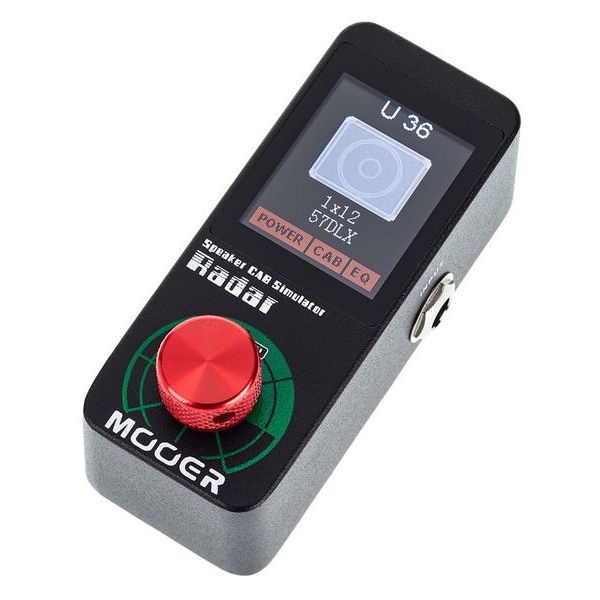
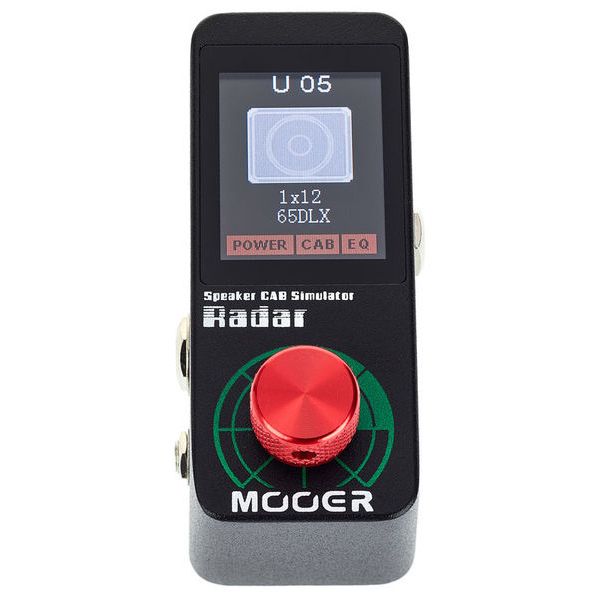
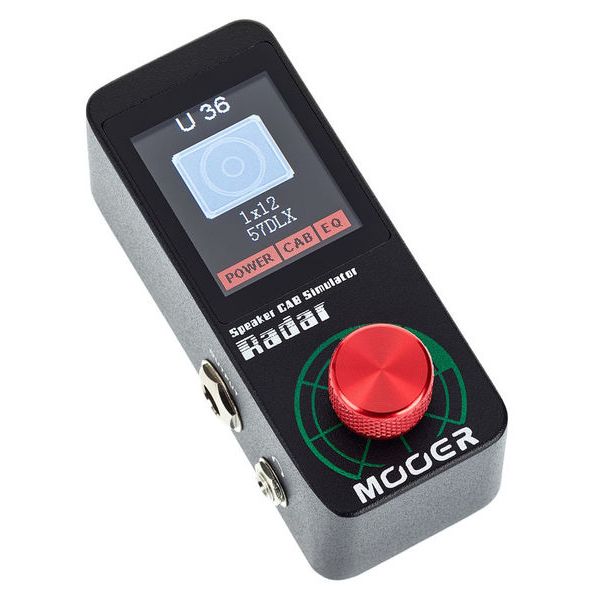
It’s a small anodised box with one knob doing double duty as a menu/selector dial, plus a colour LCD screen that’s actually readable outdoors – not a given at this price point.
Two 6.3mm jacks (in/out) and a 3.5mm headphone jack round out the connections. Power draw is modest at 300mA, and it ships with the correct 12V supply, which – shocker – not every pedal brand bothers to include these days.
My one gripe: navigating deeper menu options with a single rotary encoder gets tedious once you’re past basic cab/mic selection. It’s not bad. It’s just not instant, and you’ll want to set your presets at home rather than fumble through them at soundcheck.
Who’s This Actually For?
Bedroom players running direct into an interface. Gigging guitarists who don’t want to mic a cab every single night. Anyone running a pedal-based rig – something boosted by an MXR Timmy or pushed by a Fender Pugilist – who needs a believable „amp in the room” stage before the mixer.
If you already own a Kemper, an Axe-FX, or a modeler with solid cab blocks baked in, you probably don’t need this. It’s a specialist add-on for players running pedals, preamps, or modelers-without-cabs rather than a standalone modeling solution.
It also plays nicely as the missing link if your rig currently runs something like an Orange Super Crush 100 into a DI for silent practice, or a compact head like the Orange Micro Terror when you want speaker-less recording without losing the plot tonally.
The Niggles
No XLR out is a genuine miss for anyone running direct to a desk – you’ll need a DI box or an adapter. The single-knob menu system, as mentioned, is fine but not fast. And there’s no stereo output, so if you’re chasing wide, dual-cab tones you’ll want to look elsewhere.
None of these are dealbreakers. They’re just the kind of thing worth knowing before you order one.
Specs at a Glance
- Guitar & bass speaker simulator pedal
- 30 speaker cab simulations, 11 mic preamp models, 4 power amp sims
- Support for third-party IRs via Mooer Studio software
- Fully configurable EQ, up to 36 user presets
- Colour LCD display with single rotary/menu control
- 6.3mm mono jack in/out, 3.5mm stereo headphone out
- Dimensions 93.5 x 42 x 52mm, weight 150g
How It Compares
There’s no shortage of cheap cab-sim boxes right now, and it’s worth being honest about where the Radar sits. It’s not going for outright realism the way a Two Notions Torpedo rig is – it’s going for „genuinely good, genuinely portable, genuinely affordable.” Those are different goals, and for most home recordists and gigging players, the second one matters more.
If you’re recording direct at 1am without waking the house, or running a small pedalboard rig through a PA on a Tuesday night open mic, this is the kind of box that quietly does its job and gets out of the way. That’s a compliment – the best cab sims are the ones you forget are even there.
Final Verdict
For a budget-tier pedal, the Radar punches well above its price tag. It won’t replace a full modeling rig, but as a cab-and-mic simulator bolted onto an existing pedalboard or preamp, it’s one of the more genuinely useful boxes I’ve plugged in this year.
Worth a look if your rig currently ends at „DI into a mixer and pray.” Pair it with something from our best amps for distortion and overdrive roundup, or check out our best pedals for metal list if you’re still filling out the rest of the board.